Table of Contents
ToggleLooking for an Xbox 360 for sale in 2026 might seem like a trip down memory lane, but it’s also a smart move for anyone wanting to jump into a legendary gaming library without very costly. The console that defined a generation still has plenty to offer, whether you’re hunting for exclusive titles that never made the jump to modern platforms, building a retro collection, or just want to revisit the games that made you a gamer in the first place.
The market’s still active, with consoles popping up on everything from eBay to local classifieds. But buying a console that’s been around since 2005 means you need to know what you’re looking for. Not all Xbox 360s are created equal, model variations, hardware revisions, and the dreaded Red Ring of Death all factor into what makes a good purchase versus a doorstop.
This guide breaks down everything you need to know: which models to target, where to find the best deals, what red flags to watch for, current pricing trends, and the must-have games that justify the purchase. Let’s get into it.
Key Takeaways
- An Xbox 360 for sale remains affordable and accessible, typically priced between $35–$95 depending on model and condition, making it an excellent entry point into retro gaming.
- The Xbox 360 S (Slim) model offers the best balance of reliability, features, and value, with built-in Wi-Fi and significantly fewer hardware failures compared to the original console.
- Always test the console for at least 15–20 minutes before purchasing, checking for the Red Ring of Death, disc drive functionality, controller responsiveness, and cable integrity to avoid problematic hardware.
- The 360’s exclusive game library—including Halo trilogy, Gears of War, Fable II, and Lost Odyssey—remains irreplaceable, justifying ownership for players seeking classic titles unavailable on modern platforms.
- Buying complete bundles with consoles, controllers, and 10+ games typically offers 15–20% better value than purchasing items separately, and negotiating with evidence of actual sold prices yields the best deals.
- Check seller ratings, meet in public locations for local purchases, and prioritize platforms with buyer protection (eBay, Facebook Marketplace, Mercari) to minimize scam risks when hunting for consoles.
Why the Xbox 360 Is Still Worth Buying in 2026
Nostalgia and Classic Gaming Library
The Xbox 360’s game library is one of the strongest arguments for picking one up in 2026. This console hosted some of the most influential titles of the seventh generation: Halo 3, Gears of War, Mass Effect, Red Dead Redemption, and BioShock all defined what AAA gaming could be. Many of these games haven’t been properly remastered or are locked behind subscription services that don’t do them justice.
Beyond the blockbusters, the 360 was home to Xbox Live Arcade, a treasure trove of indie hits and experimental games that disappeared when digital storefronts evolved. Games like Shadow Complex, Trials HD, and Super Meat Boy debuted here. Sure, some got ports, but others remain 360 exclusives or run better on original hardware.
For gamers who grew up with the console, there’s also the pure nostalgia factor. Booting up Halo 3 or Call of Duty: Modern Warfare 2 hits different on the hardware where you first experienced them. The UI, the dashboard sounds, even the controller feel, it’s all part of the experience that emulation can’t quite replicate.
Affordable Entry Point for Retro Gaming
Compared to other retro gaming options, the Xbox 360 is dirt cheap. While a Nintendo Switch costs $300 new and PlayStation 5s still hover around $500, you can snag a working Xbox 360 for $40-$80 depending on the model and condition. Games? Even better. Most titles run $5-$15, with only rare collector’s editions pushing higher prices.
This affordability extends to the entire ecosystem. Controllers, hard drives, and cables are plentiful and inexpensive since Microsoft manufactured millions of units over the console’s decade-long lifespan. You’re not paying premium prices for scarce components like you would with older systems.
The original Xbox 360 hardware launched at $399 in 2005, making today’s used prices a fraction of the original investment. For budget-conscious gamers or parents looking to introduce kids to gaming without the sticker shock of modern consoles, it’s an unbeatable value proposition.
Understanding Xbox 360 Models and Variations
Original Xbox 360 (2005-2010)
The original Xbox 360 (also called the “fat” or “phat” model) came in several iterations between 2005 and 2010. Early models are infamous for hardware failures, particularly the Red Ring of Death (RROD), which plagued consoles manufactured before mid-2008. Microsoft issued multiple hardware revisions to address overheating and GPU failures, with later Jasper chipset models (late 2008-2010) being significantly more reliable.
Visually, these consoles feature a curved white or black plastic shell with a detachable faceplate. They’re loud, the DVD drive and cooling fans can sound like a small jet engine during intense gaming sessions. Storage came via detachable hard drives ranging from 20GB to 120GB, though some Core and Arcade models shipped with no hard drive at all.
If you’re considering an original model, prioritize Jasper or later revisions. Check the manufacturing date on the console’s label (look for builds from late 2008 onward) and the power supply amperage, Jasper models use a 12.1A power brick versus the earlier 14.2A or 16.5A units.
Xbox 360 S (Slim)
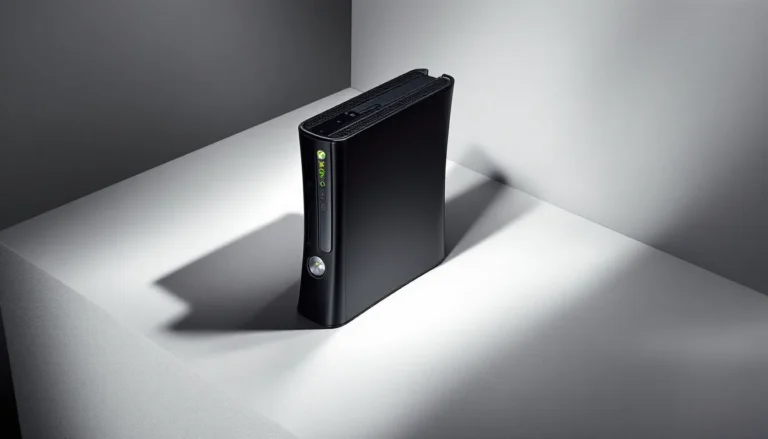
The Xbox 360 S launched in June 2010 as Microsoft’s response to reliability concerns and aesthetic aging. This redesign featured a matte black finish (with limited edition colors), built-in 802.11n Wi-Fi, a quieter cooling system, and a redesigned motherboard that virtually eliminated RROD issues.
Storage options ranged from 4GB internal flash memory to 250GB hard drives, with later models offering 320GB variants. The Slim introduced a proprietary hard drive format that’s incompatible with original Xbox 360 drives, so you can’t swap storage between model generations without third-party workarounds.
From a buying perspective, the Slim is the sweet spot for most gamers. It’s reliable, reasonably quiet, and common enough that pricing stays competitive. The built-in Wi-Fi is a major convenience upgrade if you plan to access any remaining online features or download content from the Xbox 360 marketplace before it eventually shuts down.
Xbox 360 E
The Xbox 360 E arrived in June 2013 as the final hardware revision, designed to align aesthetically with the Xbox One while clearing remaining inventory. It features angular styling similar to the One, capacitive touch buttons instead of physical ones, and the same internal architecture as the Slim, meaning reliability remains solid.
Storage configurations mirrored the Slim (4GB, 250GB, 500GB), and it retained built-in Wi-Fi. The main differences are cosmetic, though some users report the E model running slightly warmer than the Slim due to a more compact internal layout.
These are the newest consoles you’ll find, often with less wear and tear since many were purchased late in the 360’s lifecycle. But, they’re not dramatically better than a well-maintained Slim, so don’t overpay just for the E designation. Price differences of $10-$15 are reasonable: anything beyond that, and you’re better off with a Slim.
Where to Find Xbox 360 Consoles for Sale
Online Marketplaces and Auction Sites
eBay remains the go-to for Xbox 360 hunting. The sheer volume of listings means you’ll find every model, variation, and condition imaginable. Auctions can yield bargains if you’re patient and willing to snipe, while Buy It Now listings offer convenience at slightly higher prices. Always check seller ratings, return policies, and detailed photos before committing.
Payment protection through PayPal or eBay’s Buyer Protection gives you recourse if the console arrives dead or misrepresented. Search for specific terms like “Xbox 360 Slim tested working” or “Xbox 360 Jasper” to filter results effectively. Watch out for “as-is” or “untested” listings unless you’re comfortable with potential repairs.
Facebook Marketplace and Mercari have exploded in recent years for retro gaming sales. Marketplace benefits from local pickup options, you can test before buying and avoid shipping damage risks. Mercari offers buyer protection similar to eBay but often has less competition, especially outside major metro areas. Many gaming outlets including TechRadar regularly feature marketplace buying guides that can help you spot legitimate deals versus scams.
Don’t sleep on OfferUp and Letgo (now merged) either. These apps skew toward local sales and can surface consoles from casual sellers who just want their old hardware gone. You’ll occasionally find bundles with games and accessories at prices well below market value from people who don’t realize what they have.
Retro Gaming Stores and Specialty Shops
Brick-and-mortar retro gaming stores offer tested, guaranteed-working consoles with return policies, a huge advantage over private sellers. Chains like GameStop still carry pre-owned Xbox 360s in some locations, though selection varies wildly by store. Call ahead or check online inventory tools to avoid wasted trips.
Independent retro shops often have better selection and more knowledgeable staff who can answer specific questions about model revisions and compatibility. You’ll pay a premium, typically $80-$120 for a console versus $50-$80 privately, but that includes testing, cleaning, and often a 30-90 day warranty.
Disc Replay, The Exchange, and regional chains are worth checking. These stores frequently run sales and trade-in promotions that can offset the higher base prices. Building a relationship with staff at your local shop can also lead to heads-ups about fresh inventory or rare finds.
Local Classifieds and Community Sales
Craigslist still delivers if you’re willing to sift through spam and scams. The best strategy is setting up saved searches with email alerts for new listings. Jump on fresh posts quickly, good deals disappear within hours. Always meet in public locations, test the console before handing over cash, and bring a TV or portable monitor to verify functionality.
Garage sales, estate sales, and yard sales can yield incredible scores, especially if you’re willing to get up early on weekends. Estate sales in particular sometimes feature complete gaming setups from deceased collectors or parents clearing out kids’ old rooms. Apps like Garage Sale Finder and Yard Sale Treasure Map help you plan efficient routes.
Community groups on Facebook, Reddit (r/GameSale), and Discord servers dedicated to retro gaming help direct sales between enthusiasts. These communities tend to self-police against scammers, and sellers often price fairly since they understand the market. The Xbox 360 community archives contain additional resources for connecting with other collectors and finding verified sellers.
What to Look for When Buying a Used Xbox 360
Checking for Hardware Issues and Red Ring of Death
The Red Ring of Death (RROD) is the Xbox 360’s most notorious failure mode, three red lights around the power button indicating critical hardware failure, typically GPU or CPU related. While later models largely solved this, original consoles remain vulnerable. Before buying, insist on seeing the console powered on for at least 15-20 minutes while running a game.
Look for warning signs beyond the obvious red lights: excessive fan noise (louder than usual even for 360 standards), graphical artifacts on screen, or the console shutting down unexpectedly during gameplay. These can indicate impending failure even if RROD hasn’t appeared yet.
Check the power supply unit (PSU) light. It should glow solid green when connected and powered on. Orange means standby mode (normal when console is off), but red indicates PSU failure or overheating. Some sellers try to hide console issues by only showing a “working” PSU light without actually booting the system.
Inspect the exterior for signs of overheating, warped plastic, discoloration around vents, or a burning smell. Original models especially should show minimal wear around cooling vents. If someone clearly kept it in an enclosed entertainment center with poor airflow for years, that console’s days are numbered.
Verifying Controller and Cable Condition
Controller condition varies wildly in used sales. Check for stick drift by navigating menus or opening the controller guide, if the selection moves without touching the sticks, that’s drift. Inspect the rubber on thumbsticks for wear: smooth, shiny rubber or exposed plastic underneath means heavy use.
Button responsiveness matters. Press every button firmly and listen for consistent clicks. Mushy or unresponsive buttons suggest internal membrane damage or spilled liquid. The triggers should return smoothly without sticking or squeaking, spray lubricant fixes are temporary at best.
For wireless controllers, request fresh batteries or a charge cable to verify functionality. Dead battery contacts or corroded terminals are common in controllers that sat in storage. Controllers using rechargeable battery packs need testing with those packs installed since third-party batteries often fail before the controller does. Having reliable controller charging solutions ready can extend your gaming sessions significantly.
Cable condition applies to power cords, AV cables, and HDMI cables (for Slim/E models). Frayed insulation near connectors, bent pins in AV connections, or HDMI ports that wiggle loosely all spell trouble. Original Microsoft cables are preferable to third-party replacements, which often deliver inferior video quality or unreliable power delivery.
Testing Disc Drive Functionality
Disc drive failure is the second most common Xbox 360 issue after RROD. Bring a game disc (or ask the seller to demonstrate with one) and test the full read cycle. The drive should open smoothly, accept the disc without grinding noises, close completely, and load the game within 30-45 seconds.
Listen for excessive grinding, clicking, or repeated spin-up attempts, all signs of failing laser assemblies or drive motors. Original models used different drive manufacturers (Hitachi, Samsung, BenQ) with varying reliability: there’s no easy way to tell which you’re getting without opening the console.
Try multiple discs if possible, including dual-layer discs (many games used this format). Some failing drives read single-layer discs fine but choke on dual-layer. If you encounter persistent disc reading problems after purchase, troubleshooting steps like those outlined in guides about Xbox 360 disc reading issues can help determine if it’s fixable or fatal.
Test both games and DVDs if the seller claims multimedia functionality. The 360 doubled as a DVD player for many users, and laser wear from heavy movie watching affects game reading too.
Current Xbox 360 Pricing Guide for 2026
Console-Only Pricing by Model
Pricing for Xbox 360 consoles in 2026 has stabilized into fairly predictable ranges based on model and condition. These are market rates as of early 2026 based on sold listings across major platforms:
Original Xbox 360 (2005-2010)
- Console only, working: $35-$55
- Console with all cables: $45-$65
- Jasper revision or late model: $50-$70
- Premium/Elite with hard drive: $60-$85
Xbox 360 S (Slim)
- Console only, working: $60-$85
- Console with all cables: $70-$95
- 250GB model complete: $80-$110
- Special editions (Halo, Modern Warfare, etc.): $100-$150
Xbox 360 E
- Console only, working: $70-$95
- Console with all cables: $80-$110
- 500GB model complete: $95-$125
These ranges assume good cosmetic condition and verified working status. Rough cosmetics drop prices by $10-$20. Non-working consoles for parts typically sell for $20-$35 regardless of model. Resources like Digital Trends occasionally publish gaming hardware price guides that can help you benchmark current market rates.
Bundle and Complete Set Values
Bundles offer the best overall value if you’re starting from scratch. Here’s what complete packages typically run:
Basic Bundle (console, controller, cables, 3-5 games): $85-$130 depending on model and game quality. This is the most common configuration and usually the best bang for your buck.
Complete Bundle (console, 2 controllers, cables, hard drive, 10+ games): $140-$220. Evaluate game quality carefully, ten shovelware sports titles don’t equal three quality exclusives.
Premium/Collector Bundle (limited edition console, multiple controllers, Kinect, large game library): $200-$350+. Only worth it if the specific console variant or games justify the premium.
Single controllers add $15-$25 to bundle value, official hard drives add $20-$40 depending on capacity, and Kinect sensors add $10-$20 (they’re not in demand since Kinect support ended).
Game value varies wildly. Common titles like Madden or Call of Duty annual releases add minimal value ($2-$5 each). Exclusives and cult favorites like Lost Odyssey, Alan Wake, or Fable 2 add more ($10-$20 each).
Essential Accessories to Consider
Controllers and Charging Solutions
You’ll want at least one extra controller for multiplayer, and preferably two if you regularly game with friends. Wireless controllers are the standard, but wired USB controllers exist and eliminate battery concerns entirely. Official Microsoft controllers run $20-$35 used: third-party options are cheaper ($10-$20) but often suffer from build quality issues.
Battery solutions matter if you’re going wireless. Disposable AA batteries get expensive fast. Rechargeable battery packs (official Microsoft or quality third-party like Energizer) cost $15-$25 and pay for themselves quickly. Play-and-charge kits include the battery and USB cable for simultaneous playing and charging.
Charging stations that hold two controllers and recharge via docking are convenient but not essential. They run $15-$30 and work well if you have multiple controllers in regular rotation. Just make sure they’re compatible with your specific battery packs.
Hard Drive Storage Options
Storage capacity determines how many games you can install, downloadable content you can store, and save files you can keep. Original Xbox 360 models use proprietary hard drives in 20GB, 60GB, or 120GB capacities. Slim and E models use a different proprietary format in 250GB or 500GB sizes, they’re not interchangeable.
For most users, 120GB or 250GB is plenty. Game installs speed up load times and reduce disc drive wear, but you’ll still need the disc to play. Full digital games take more space, though the 360’s digital library is increasingly limited as Microsoft phases out marketplace support.
Official Microsoft hard drives command premium prices ($30-$60) on the used market. Third-party and modified solutions exist but may not work with all system updates or could trigger bans if you’re still using online features. For pure offline gaming, they’re viable budget alternatives.
Kinect and Other Peripherals
The Kinect sensor was Microsoft’s motion-gaming answer to the Wii, and while support dried up quickly, a handful of games made good use of it. Dance Central, Kinect Sports, and Fruit Ninja Kinect are legitimately fun if you have the space. Sensors cost $10-$25 used, cheap enough to experiment with.
Space requirements are real: you need 6-8 feet of clear space between the sensor and players. Original Kinect sensors require an AC adapter with Xbox 360 S/E models: they draw too much power from USB alone.
Headsets for online play are cheap and plentiful. The basic wired headset that shipped with early consoles works fine for chat. Wireless options from Turtle Beach, Astro, and others offer better audio quality but cost significantly more ($30-$100+ used depending on model).
AV cables matter if your TV lacks HDMI. Original models shipped with component cables (red/white/yellow composite or better red/green/blue component): these deliver 480p or 720p/1080i respectively. HDMI (available via adapters for original models, built-in for Slim/E) is the best option for video quality.
Must-Have Games to Buy With Your Xbox 360
Exclusive Titles You Can’t Play Elsewhere
The 360’s exclusive library is the main reason to own the hardware in 2026. Start with the Halo trilogy if you somehow missed it, Halo 3, Halo 3: ODST, and Halo: Reach represent Bungie’s finest work and remain 360 exclusives in their original forms (yes, they’re on Master Chief Collection, but the experience isn’t identical).
Gears of War 1-3 defined cover-based shooters and competitive multiplayer for a generation. The campaigns hold up remarkably well, and local split-screen co-op is still a blast. Some entries received remasters, but the originals run great and cost a fraction of updated versions. The 360’s legendary shooter library extends well beyond these flagship titles.
Fable II and Fable III remain exclusive to 360, Lionhead’s quirky RPG series never got proper ports to other platforms. Forza Motorsport 3 and Forza Motorsport 4 represent the peak of sim racing on the platform before the series jumped to Xbox One.
Don’t overlook RPG exclusives: Lost Odyssey and Blue Dragon (both from Final Fantasy creator Hironobu Sakaguchi), Tales of Vesperia (the 360 version includes content cut from other releases), and Infinite Undiscovery. These games are increasingly expensive as collectors wake up to their rarity.
Backward Compatible Original Xbox Games
The Xbox 360 plays select original Xbox games via backward compatibility, not the full library, but the hits are covered. Pop in Halo 2, Knights of the Old Republic, Ninja Gaiden Black, or Crimson Skies and they run beautifully.
Backward compatibility requires a hard drive to store emulation profiles. The console downloads compatibility updates automatically if connected to Xbox Live, but profiles are also available via USB transfer if your console is offline.
Image quality varies by title. Some games render at higher resolution on 360 hardware, while others just get anti-aliasing improvements. Either way, it beats hunting for an original Xbox, and the controller is more comfortable for extended sessions.
Multiplatform games that defined the generation are also worth grabbing: Red Dead Redemption, Mass Effect trilogy, BioShock, Elder Scrolls IV: Oblivion, Fallout 3, Batman: Arkham Asylum/City, and Portal 2 all run great and cost pocket change. Many haven’t received meaningful improvements on newer hardware, so the 360 versions remain perfectly viable ways to experience these classics.
Tips for Negotiating the Best Deal
Start negotiations with research. Check sold listings on eBay, not just active listings, sold prices reflect real market value. Sellers often overprice based on wishful thinking or outdated price guides. Armed with actual data, you can make reasonable offers backed by evidence.
Bundle purchases give you leverage. If a seller has a console, games, and accessories listed separately, offer to buy everything at once for a discount. Most sellers prefer one transaction over multiple smaller sales and will knock 10-20% off the total to make it happen.
Timing matters for online auctions and marketplace listings. Auctions ending late Sunday night or early weekday mornings get less traffic and lower final bids. New listings on Facebook Marketplace get bombarded with interest, wait 3-5 days and sellers become more flexible as initial enthusiasm fades.
Point out specific issues to justify lower offers. Missing cables, cosmetic damage, lack of original box, questionable functionality, these all reduce value. Don’t be rude, but be direct: “The controller shows stick drift and you’re missing the AV cables, I can offer $60 since I’ll need to source replacements.”
Cash talks, especially for local sales. Offering immediate payment via cash app or meeting same-day with bills in hand motivates sellers who want quick resolution over maximum profit. Mention you’re ready to transact immediately: “I can meet you at [public location] with cash in the next hour if you’ll take $75.”
Walk away if the numbers don’t work. Xbox 360 consoles are plentiful, another deal will surface within days. Desperation leads to overpaying for problematic hardware. Set a maximum price before you engage and stick to it.
For online purchases, factor shipping costs into your offer. A console listed at $70 with $20 shipping costs more than one at $85 with free shipping. Calculate total landed cost and negotiate accordingly: “Would you take $60 shipped? That puts me at the same total as comparable listings with free shipping.”
Build relationships with retro store employees and frequent sellers. Repeat customers often get preferred pricing or first crack at new inventory before it hits the floor. If you’re serious about collecting, having an inside contact at a shop beats scraping marketplaces daily.
Conclusion
Buying an Xbox 360 in 2026 is about more than nostalgia, it’s accessing one of gaming’s most significant libraries at prices that make modern consoles look absurd. Whether you’re replaying childhood favorites, discovering exclusives you missed the first time, or building a retro collection, the 360 delivers exceptional value if you know what to look for.
Prioritize reliability over price: a $20 difference between a sketchy original model and a proven Slim can save you headaches and repair costs down the line. Test everything you can before money changes hands, especially disc drives and controllers. Don’t rush into the first listing you see, patience and research consistently yield better deals.
The market’s stable enough that you won’t miss out by waiting for the right console at the right price. Focus on bundles that include the games you actually want rather than padding game count with shovelware. And remember: the goal is playing great games, not just owning old hardware. Pick up that copy of Halo 3, queue up some friends, and see if the magic still holds. Odds are, it will.