Table of Contents
ToggleOver a decade after its 2013 launch, GTA V remains one of the most iconic games in history, and for thousands of players, the Xbox 360 version was their first taste of Los Santos. Even in 2026, there’s a dedicated community still firing up their Xbox 360s to experience Michael, Franklin, and Trevor’s chaotic adventures. Whether you’ve rediscovered an old disc in your closet, picked up a used copy, or you’re curious about the differences between the original release and today’s enhanced versions, this guide covers everything you need to know about playing GTA V on Xbox 360.
The Xbox 360 edition carries a distinct legacy. It’s where millions first robbed banks, customized lowriders, and terrorized the digital streets before the game evolved into the online behemoth it is today. Understanding what this version offers, and what it lacks compared to newer platforms, will help you maximize your experience or decide whether it’s time to upgrade.
Key Takeaways
- GTA V Xbox 360 offers the original 2013 story experience without online multiplayer (offline since December 2021) and is the most budget-friendly entry point at $5–$15 used.
- The Xbox 360 version runs at 720p/30 FPS with frequent frame rate drops, texture pop-in, and reduced draw distance compared to next-gen consoles, requiring installation of 8GB to your hard drive for optimal performance.
- You must install Disc 1 (8GB) to your hard drive but run Disc 2 directly from the optical drive to avoid performance issues, and you’ll need adequate console ventilation to prevent overheating during extended play sessions.
- The game delivers 30–35 hours of campaign gameplay with strategic stock market investments and crew selection during heists offering the best money-making opportunities, though without next-gen DLC weapons and content.
- GTA V Xbox 360 is worth playing for nostalgia and budget constraints, but upgrading to Xbox One or Series X|S provides dramatically superior visuals, stable 60 FPS, first-person mode, and protection against failing 15-year-old hardware.
- Common issues like freezing can be minimized by clearing system cache, avoiding prolonged sessions, and ensuring the console has proper ventilation, though persistent problems may indicate hardware failure.
Why GTA V on Xbox 360 Still Matters Today
The Xbox 360 version of GTA V represents a specific moment in gaming history. Released on September 17, 2013, it was Rockstar’s final major release for seventh-generation consoles before transitioning to Xbox One and PS4 in 2014. This version captured the raw, unenhanced vision of Los Santos before all the graphical upgrades, expanded content, and GTA Online transformations.
For collectors and retro gaming enthusiasts, GTA 5 for Xbox 360 holds nostalgic value. The experience is leaner, no Casino update, no Cayo Perico Heist, no expanded story mode content. Just the original story, the initial GTA Online launch framework, and the core gameplay that hooked millions. It’s pure, undiluted 2013 Rockstar.
There’s also a practical angle. Xbox 360 consoles are dirt cheap in 2026, and physical copies of GTA V flood the used market. For budget-conscious gamers or those introducing younger players to the franchise without shelling out for next-gen hardware, the Xbox 360 version is an accessible entry point. It won’t have the visual polish or constant updates, but the bones of one of gaming’s greatest open-world experiences are fully intact.
Plus, some players simply prefer the simplicity. No battle pass pressure, no weekly event FOMO, no overwhelming influx of flying motorcycles and orbital cannons. The Xbox 360 edition froze GTA Online in its infancy, a slower, grittier version before it became a sci-fi sandbox.
System Requirements and Installation Guide
Xbox 360 Hardware Specifications
GTA V on Xbox 360 runs on any model of the console, including the original white “phat” models, the Xbox 360 S (Slim), and the Xbox 360 E. Rockstar optimized the game to squeeze every ounce of performance from the aging hardware, pushing the console to its limits.
The game supports both the 4GB and larger hard drive models, though storage becomes critical depending on your setup. You’ll need an Xbox 360 with an active Xbox Live Gold account if you plan to access GTA Online features. For the best experience, Rockstar recommended installing the game to the hard drive, which significantly improves texture streaming and reduces pop-in during high-speed chases.
Minimum console requirements:
- Any Xbox 360 model (original, S, or E)
- Xbox 360 controller (wired or wireless)
- Composite, component, or HDMI video output
- Active Xbox Live account for online play
The game outputs at 720p resolution with a target frame rate of 30 FPS, though heavy action sequences and dense traffic areas can cause noticeable dips. Compared to modern standards, it’s rough, but for 2013 hardware, it was impressive.
Disk Space and Storage Considerations
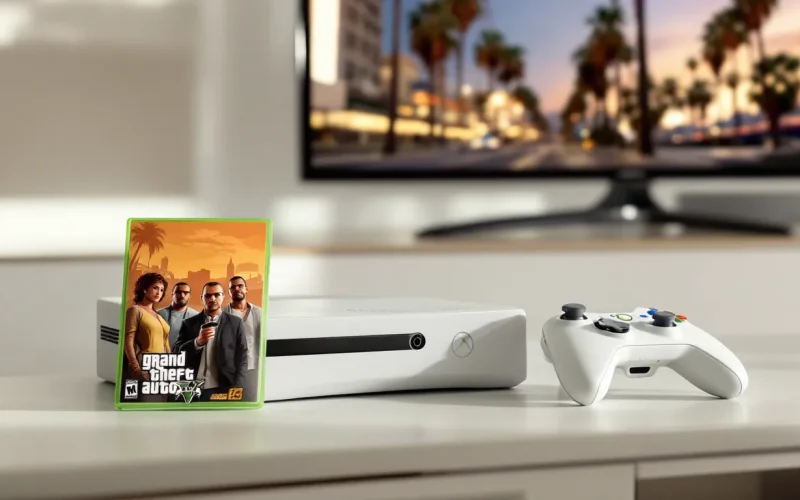
This is where things get tricky. GTA V ships on two discs for Xbox 360: an Install Disc and a Play Disc. The Install Disc must be loaded first to copy 8GB of data to your Xbox 360’s hard drive or USB storage device. After installation completes, you’ll use the Play Disc for all future sessions.
Storage requirements:
- 8GB mandatory install from Disc 1
- Additional space recommended for Title Updates (patches), which can add 1-2GB over time
- GTA Online data requires extra space for caching and updates
If you’re running a 4GB Xbox 360 model, you’ll need to use a USB flash drive (minimum 8GB, USB 2.0) formatted for Xbox 360 storage. Rockstar explicitly warned against installing both discs to the same drive, as it can cause performance issues, texture pop-in, stuttering, and longer load times. Install Disc 1 to the hard drive, then run the Play Disc directly from the optical drive.
Digital versions purchased from the Xbox 360 Marketplace (when it was still active) require approximately 16GB of total storage since both disc images are downloaded.
Getting Started: Game Setup and Initial Configuration
Character Creation and Story Mode Overview
GTA V’s story mode revolves around three protagonists: Michael De Santa, a retired bank robber in witness protection: Franklin Clinton, a repo man looking to level up: and Trevor Philips, a volatile career criminal living in the desert. The game allows players to switch between all three characters freely after the introductory missions, creating a unique narrative structure.
There’s no traditional character creation for story mode, you play as these three pre-defined characters with their own skills, personalities, and storylines. But, each character has a Special Ability activated by clicking both analog sticks:
- Michael: Bullet time during shootouts (slows time, increases accuracy)
- Franklin: Driving focus (slows time while driving, improves handling)
- Trevor: Red mist rage (deals more damage, takes less damage)
The story spans approximately 30-35 hours for main missions alone, with dozens of side activities, Strangers and Freaks missions, and collectibles extending playtime well beyond 60 hours. For players experiencing open-world action games on Xbox 360, GTA V set a new benchmark.
Control Scheme and Xbox 360 Controller Layout
The Xbox 360 controller layout for GTA V is intuitive for anyone familiar with third-person shooters, though it has some unique quirks:
Basic controls:
- Left stick: Movement
- Right stick: Camera control
- A button: Sprint/swim, contextual actions
- B button: Melee attack, crouch (when aiming)
- X button: Enter/exit vehicles, reload, cover
- Y button: Character switch (story mode), interaction
- LT (Left Trigger): Aim weapon
- RT (Right Trigger): Fire weapon, accelerate vehicle
- LB (Left Bumper): Weapon wheel (hold)
- RB (Right Bumper): Special ability
- D-pad: Weapon selection, phone shortcuts
- Back button: Change camera view
- Start button: Pause menu
Vehicle controls follow a similar pattern, with LT as brake/reverse and RT as accelerate. The right stick handles steering in some vehicle types. For those who also enjoyed titles like Batman Arkham Origins, the combat flow feels more grounded and less combo-driven.
One frustration: the Xbox 360 version lacks some of the refined control options added in next-gen releases, like independent aim and look sensitivity or alternative control schemes. You’re locked into the default layout.
Performance Differences: Xbox 360 vs. Next-Gen Consoles
Graphics and Frame Rate Limitations
Let’s be blunt: GTA 5 Xbox 360 looks dated in 2026. The game runs at 720p resolution with a 30 FPS target, but the frame rate is inconsistent. During intense firefights, crowded streets, or high-speed pursuits, FPS drops into the low 20s are common. Texture pop-in is frequent, buildings and objects sometimes take several seconds to fully load as you speed through the city.
Draw distance is significantly reduced compared to Xbox One and Series X
|
S versions. Pedestrians and vehicles spawn closer to the player, and environmental detail fades quickly. The lighting system is basic, lacking the enhanced shadows, reflections, and ambient occlusion of the 2014 remaster. First-person mode, added to next-gen versions, is completely absent here.
The Xbox 360 hardware also limits traffic density, NPC count, and foliage detail. Los Santos feels less alive, fewer cars on highways, sparser crowds on the boardwalk, simpler vegetation. Weather effects are present but less dramatic. Explosions lack the particle density and physics complexity of newer versions.
Key graphical limitations:
- 720p resolution (vs. up to 4K on Series X)
- 30 FPS cap with frequent drops (vs. 60 FPS on Xbox Series S/X)
- Lower texture resolution and quality
- Reduced draw distance and LOD detail
- Simplified lighting and shadow rendering
- No first-person camera mode
For players accustomed to modern standards, the visual downgrade is jarring. But if you’re comparing it to other Xbox 360 titles, GTA V still holds up reasonably well. According to reviews at the time, critics praised Rockstar’s optimization work given the hardware constraints.
Online Features and GTA Online Availability
Here’s the hard truth: GTA Online support for Xbox 360 ended on December 16, 2021. Rockstar officially shut down online services for seventh-generation consoles, meaning the Xbox 360 version is now a story-mode-only experience. You cannot access GTA Online, create a character, join heists, or participate in any multiplayer activities.
Before the shutdown, Xbox 360 GTA Online was frozen in time. The platform stopped receiving content updates in 2015 after the Ill-Gotten Gains Part 2 DLC. Major expansions like the Lowriders Update, CEO/VIP work, Gunrunning, and everything that followed never came to Xbox 360. The online mode was a skeleton of what it became on newer platforms.
This means no:
- Heists (beyond the original five)
- CEO/MC businesses
- Bunkers, facilities, or nightclubs
- Arena War, Casino, or Cayo Perico content
- Weekly events or Rockstar-created modes post-2015
If you’re buying GTA 5 for Xbox 360 in 2026, you’re buying it exclusively for the single-player campaign. The online component is a ghost town.
Essential Tips for Playing GTA V on Xbox 360
Optimizing Performance and Reducing Load Times
Even with the mandatory install, GTA V pushes the Xbox 360 to its breaking point. Here’s how to squeeze the best performance from aging hardware:
Install configuration: As mentioned earlier, install Disc 1 to your hard drive but do not install the Play Disc. Running the Play Disc from the optical drive allows the system to read data from two sources simultaneously, reducing bottlenecks. Installing both to the same drive forces read conflicts, worsening texture streaming.
Clear system cache: Over time, the Xbox 360’s system cache can become cluttered, causing slowdowns. To clear it, go to System Settings > Storage > select your hard drive > press Y > Clear System Cache. This won’t delete saves or installed content, but it can improve stability.
Reduce in-game population density: While you can’t directly adjust NPC density, avoiding peak in-game traffic hours (morning and evening rush in Los Santos) can reduce frame rate drops. The game’s internal clock affects traffic and pedestrian spawns.
Manage autosaves: The game autosaves frequently, sometimes causing brief hitches. Manually save at safe houses when possible to control when these pauses occur, especially before missions.
Avoid prolonged sessions: The Xbox 360’s hardware can overheat during extended play, leading to performance degradation or freezing. Take breaks every 2-3 hours to let the console cool down.
For those maintaining a collection of Xbox 360 titles, these optimization practices apply broadly across demanding late-generation games.
Mission Strategies and Money-Making Guide
GTA V’s story mode offers multiple approaches to most missions, but some strategies work better on Xbox 360 given the technical limitations:
Save before every major mission: The lower frame rate and occasional crashes make mission failures more frustrating. Quick-save at a safe house before tackling story missions.
Invest wisely in the stock market: The game’s BAWSAQ and LCN stock exchanges allow you to manipulate stock prices through mission outcomes. Research Lester’s Assassination Missions, completing them strategically with each character can net you over $1 billion per protagonist. Don’t do them until after the main heist missions when you have capital to invest.
Heist crew selection matters: For the big scores, don’t always pick the cheapest crew members. Experienced crew members take a bigger cut but perform better, reducing mission failure rates, critical when the game doesn’t run as smoothly.
Weapon and ammo management: Unlike the next-gen version, buying ammo is expensive early on. Use the weapon wheel (hold LB) to switch efficiently during combat. Stick with versatile weapons like the Assault Rifle and Pump Shotgun for most missions.
Money-making without GTA Online:
- Complete all Lester Assassination Missions post-story with max cash invested
- Rob armored trucks when they spawn (look for blue dots on the mini-map)
- Complete Bail Bond missions as Trevor
- Collect all hidden packages and spaceship parts for cash rewards
- Invest in properties that generate passive income (e.g., Los Santos Customs shops)
Vehicle and Weapon Unlocks
Unlocking the best vehicles and weapons requires progression through the story and exploration:
Best vehicles (story mode):
- Entity XF: High-end supercar, purchasable online or found in specific locations
- Buzzard Attack Chopper: Unlocked after completing specific missions, available for purchase
- Adder: Fastest car in the Xbox 360 version, costs $1,000,000
- Sanchez (dirt bike): Best off-road vehicle, free spawns in various locations
- Rhino Tank: Available from the military base (4-star wanted level) or purchasable late-game
Weapon progression:
Weapons unlock as you progress through the story, but some are missable:
- Minigun: Unlocks after completing “The Paleto Score”
- Grenade Launcher: Available at Ammu-Nation after reaching a certain story point
- Advanced Rifle: Unlocks mid-story, excellent all-purpose weapon
- Sticky Bombs: Essential for heists, unlocked early but expensive
Unlike newer versions, the Xbox 360 edition doesn’t have the Railgun, Heavy Shotgun, or other weapons added in next-gen DLC. What you see in Ammu-Nation is what you get.
Common Issues and Troubleshooting Solutions
Freezing and Crash Fixes
GTA V on Xbox 360 is notorious for freezing and crashing, especially on older consoles or during extended play sessions. Here’s how to minimize these issues:
Most common freeze triggers:
- Prolonged play sessions (3+ hours without restart)
- Rapid character switching during action sequences
- Driving at high speeds through dense city areas
- Overheating Xbox 360 hardware
Solutions:
1. Clear the system cache (as described earlier). This is the first step for most stability issues.
2. Delete and reinstall the game data: If freezing persists, delete the 8GB install from Disc 1, clear the cache, then reinstall. This can resolve corrupted data issues.
3. Check for disc damage: Scratches on the Play Disc can cause read errors leading to freezes. Inspect the disc surface and clean it gently with a microfiber cloth from center to edge (not in circles).
4. Improve console ventilation: Ensure your Xbox 360 has adequate airflow. Don’t stack items on top of it, keep it in an open space, and consider using an external cooling fan if you have an older model.
5. Avoid excessive autosaves: Disable autosave in the settings menu and rely on manual saves to reduce the frequency of save-related hitches that can cascade into freezes.
6. Update to the latest Title Update: Ensure the game is fully patched. Title Update 1.09 was the final update for Xbox 360, released in 2015. Without Xbox Live, you won’t get these patches, which can contribute to instability.
If freezing occurs consistently at a specific mission or location, it may be a known bug with no fix on the Xbox 360 version. In some cases, approaching the mission from a different angle or using a different character can work around the issue. Similar troubleshooting steps apply to other demanding titles like Fallout New Vegas on the same platform.
Installation Error Solutions
Installation errors typically occur when setting up the game for the first time or after deleting/reinstalling data.
Common installation errors:
“Not enough storage space” error: Even if you have 8GB available, fragmented storage can cause this. Delete unnecessary game data, clear the cache, then retry the installation.
“Disc unreadable” error: This usually indicates a dirty or damaged Install Disc. Clean the disc carefully, or if it’s severely scratched, you may need to replace the game.
Installation freezes mid-process: This can happen if the console overheats or the hard drive has read/write errors. Let the console cool completely, then try again. If it persists, the hard drive may be failing, test with other games to confirm.
USB installation issues: If installing to a USB drive, ensure it’s formatted correctly for Xbox 360 storage (the console will prompt you to format it). Use a reliable USB 2.0 flash drive from a reputable brand, cheap drives can cause read errors.
Installation completes but game won’t launch: Delete the install data, clear the cache, and reinstall. If the problem continues, the Install Disc may be corrupted, or there’s a hardware issue with the console’s DVD drive.
For persistent issues, testing the game on a different Xbox 360 console can help determine whether the problem is with the disc or the hardware.
Buying GTA V for Xbox 360 in 2026: What to Know
Where to Find Physical and Digital Copies
In 2026, finding a physical copy of Xbox GTA is easier than finding a working Xbox 360. The game sold over 20 million copies on Xbox 360 alone, flooding the used market with discs.
Best places to buy physical copies:
Used game retailers: GameStop, local game stores, and retro gaming shops often have multiple copies in stock. Prices range from $5 to $15 depending on condition and whether it includes the original case and manual.
Online marketplaces: eBay, Mercari, Facebook Marketplace, and OfferUp are loaded with listings. Look for “complete in box” (CIB) copies if you’re a collector, but loose discs work just fine for playing. Typical prices hover around $8-12 including shipping.
Thrift stores and pawn shops: GTA V is one of the most commonly donated games. Check your local Goodwill, Salvation Army, or pawn shops, you can often snag a copy for under $5.
Retro gaming conventions: If you attend gaming expos or conventions, vendors often sell Xbox 360 games in bulk. You might find GTA V bundled with other titles for a better deal.
Digital availability: The Xbox 360 Marketplace officially shut down for new purchases in July 2024. You can no longer buy digital copies of Xbox 360 games directly from Microsoft. If you previously purchased GTA V digitally, it remains in your download history, but new buyers must find physical copies.
Pricing and Value Assessment
Is GTA 5 Xbox 360 worth buying in 2026? That depends on your situation.
Value proposition:
For $10 or less: Absolutely worth it if you have a working Xbox 360 and want to experience the story mode. The campaign alone offers 30+ hours of gameplay, making it a better dollar-per-hour value than most modern releases.
For $15-20: Still reasonable if you’re a collector or specifically want the original Xbox 360 experience for nostalgia. But, at this price point, you’re approaching the cost of used Xbox One copies, which offer significantly better performance and visuals.
Above $20: Not recommended unless it’s a sealed collector’s edition. Standard used copies should never cost more than $15 in 2026’s market.
Comparison to newer versions: GTA V is available on Xbox One (backward compatible on Series X/S) and Xbox Series X
|
S with enhanced editions. The Xbox One version (often $15-25 used) offers:
- 1080p resolution (vs. 720p)
- More stable 30 FPS (or 60 FPS on Series X/S)
- First-person mode
- All GTA Online content (though online is pay-to-win territory now)
- Better textures, draw distance, and environmental detail
If you’re choosing between Xbox 360 and Xbox One versions purely for gameplay, the Xbox One version wins decisively. The Xbox 360 edition’s value lies in its historical significance, budget entry point, or nostalgia factor. Just like the debate around Xbox 360 Gold subscriptions back in the day, you’re weighing legacy features against modern conveniences.
Should You Upgrade to a Newer Platform?
If you’re playing GTA V on Xbox 360 in 2026, you’re either experiencing it for the first time on legacy hardware or revisiting it for nostalgia. The question of whether to upgrade depends on how you value performance versus accessibility.
Reasons to stick with Xbox 360:
Budget constraints: If you already own an Xbox 360 and can pick up the game for $5-10, it’s the cheapest way to experience GTA V’s story. Buying an Xbox One or Series S/X just for one game doesn’t make financial sense if money’s tight.
Nostalgia and authenticity: Some players specifically want the “original” experience, bugs, low frame rate, and all. There’s a certain charm to playing a game as it was first released, without the polish and changes that came later.
Offline-only play: Since GTA Online is dead on Xbox 360 anyway, you’re not missing multiplayer if that wasn’t your interest. The story mode is complete and unchanged.
Collection purposes: For retro collectors, maintaining a working Xbox 360 library is part of the hobby. GTA V is a must-have title in any seventh-gen collection.
Reasons to upgrade:
Performance issues: If the frame rate drops, texture pop-in, and frequent freezing frustrate you, upgrading to Xbox One or newer will dramatically improve your experience. The difference is night and day.
Visual fidelity: If you care about graphics, the Xbox 360 version looks rough even compared to the modest Xbox One release. On Xbox Series X, the game runs at 4K/60 FPS with ray tracing, making Los Santos feel like a different game entirely.
GTA Online access: If you’re curious about the multiplayer mode, even though its current monetization issues and grind-heavy structure, you’ll need to upgrade. The Xbox 360 version offers zero online functionality as of 2021.
Future-proofing: Xbox 360 hardware is 15+ years old in 2026. Disc drives fail, capacitors age, and replacement parts become scarce. Investing in a used Xbox One S (often $100-150) or Series S ($200-250 new) gives you access to backward-compatible Xbox 360 games plus a modern platform.
Content additions: The Xbox One and Series X/S versions include expanded story mode content, additional vehicles, weapons, and activities that never came to Xbox 360. First-person mode alone is worth the upgrade for many players.
The verdict: If you’re just curious about GTA V’s story and have a working Xbox 360, the original version is fine. But if you’re investing time into a full playthrough and have the means, upgrading to at least an Xbox One will make the journey far more enjoyable. The game was built to evolve beyond the Xbox 360, and it shows. Much like how Xbox 360 shooting games pioneered mechanics that later generations perfected, GTA V’s Xbox 360 version is the foundation, not the final form. Coverage from Pure Xbox consistently highlights how backward compatibility and enhancements breathe new life into classics.
Conclusion
GTA V on Xbox 360 is a relic of a different era, a time when Rockstar pushed aging hardware to its absolute limit and delivered one of the generation’s defining games. In 2026, it’s no longer the best way to experience Los Santos, but it remains the most historically significant version and the most accessible for budget-conscious players.
The Xbox 360 edition is frozen in time: no GTA Online, no visual enhancements, no quality-of-life improvements. But the core experience, the heists, the three-protagonist structure, the satirical open world, is intact. If you’re approaching it with realistic expectations, it still delivers.
Whether you’re dusting off an old console, exploring gaming history, or simply making the most of what you have, GTA 5 Xbox 360 proves that great game design transcends technical limitations. Just don’t expect it to compete with the enhanced versions. Play it for what it is: a time capsule from 2013, and a reminder of how far gaming has come since.